Test in a browser
See how a page loads on a Korean mobile network.
BrowserProxy settingsKorean mobile LTE
Proxy
Set up a proxy in your browser, test tools, or automation software. Only traffic from the tools you configure will go through Korean mobile LTE.
Book a consultation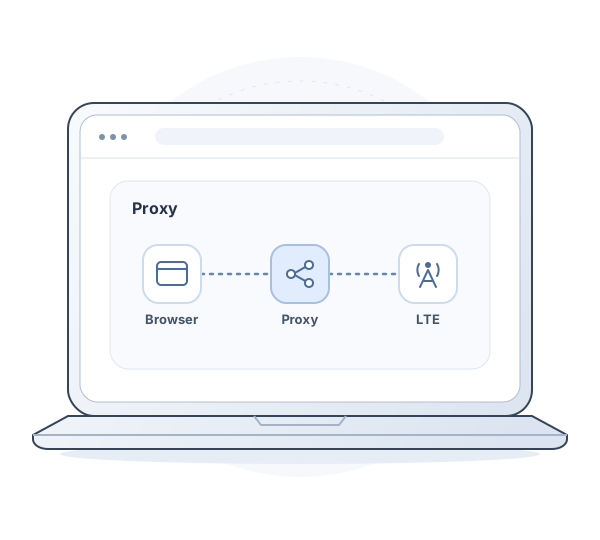
Use cases
Connect any tool that supports proxy settings.
See how a page loads on a Korean mobile network.
Add a proxy to the connection settings in your testing or automation tools.
Setup
We'll provide your connection details after activation.
Check whether your browser or app supports HTTP CONNECT or SOCKS5.
After activation, add the address, port, and credentials we provide to your tool’s proxy settings.
Test the connection from the tool you configured. We plan to support TCP connections over SOCKS5 at launch.
Consultation
Tell us what you need to connect and how much data you expect to use. We'll walk you through configuration options, pricing, and launch timing.
We count both sent and received data. Tell us your estimated monthly usage.
Tell us how many accounts and simultaneous TCP connections you need.
Tell us whether your tool supports HTTP CONNECT, SOCKS5, or both.
FAQ
We're preparing for launch. Tell us how you plan to use it, and we'll discuss configurations, pricing, and timing.
A proxy routes requests from the browser or app you configure. To route your device's internet connection, see KAT VPN.
We plan to support both protocols under one subscription. They share a data allowance. Ask us about UDP and TLS support for connections to the proxy server.
We plan to offer both products under one account. Each subscription has its own data allowance and term.
The IP address can change when you reconnect to mobile LTE. Ask us if you need a static IP or a dedicated connection.
Proxy consultation
Pick a date and time. Our team will call you at the scheduled time.
Loading available times…
If the calendar doesn’t load, open the booking page or call 1866-3039.